Latest Version
21.11.483
March 24, 2026
Entertainment
Android
148 MB
15
Free
app.revanced.android.youtube
Report a Problem
More About YouTube
🔹 Description
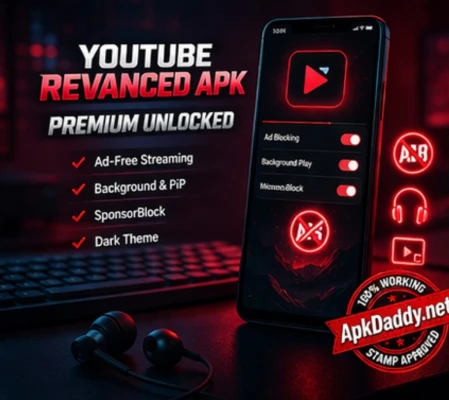
YouTube ReVanced APK is an advanced modified version of the official YouTube app, designed to provide a more flexible and feature-rich video streaming experience for Android users. It enhances the overall usability of the platform by removing common limitations and adding powerful customization options.
With YouTube ReVanced, users can enjoy uninterrupted video playback without ads, making the viewing experience smoother and more enjoyable. The app also supports background playback, allowing videos or music to continue playing even when the screen is turned off or while using other apps. Additionally, it offers various customization features such as theme changes, layout adjustments, and gesture controls.
Another major advantage of YouTube ReVanced APK is its integration with MicroG, which enables users to sign in to their accounts and access subscriptions, playlists, and watch history without any issues. Overall, it is a powerful solution for users who want more control, convenience, and premium-like features in their video streaming app.
🔹 Key Features
YouTube ReVanced APK comes packed with a wide range of advanced features that enhance user experience:
Ad-free video streaming without interruptions
Background playback and picture-in-picture mode
SponsorBlock feature to skip sponsored segments
Swipe controls for brightness and volume adjustments
High-quality video playback (HD, Full HD, and higher)
Custom themes including dark mode and AMOLED mode
Option to disable Shorts and customize homepage
Integration with MicroG for account login
Lightweight, fast, and optimized performance
🔹 How to Install
Installing YouTube ReVanced APK on your Android device is simple if you follow these steps carefully:
First, download the YouTube ReVanced APK and MicroG APK from a trusted source.
Go to your device Settings > Security and enable “Install from Unknown Sources.”
Install the MicroG APK first, as it is required for account login functionality.
After that, install the YouTube ReVanced APK file.
Once installation is complete, open the app and sign in using your Google account via MicroG.
Grant the necessary permissions, and you are ready to enjoy all premium features.
🔹 FAQs
Q1: Is YouTube ReVanced APK safe to use?
It can be safe if downloaded from a trusted and verified source. However, since it is a modified app, users should always be cautious and scan files before installing.
Q2: Do I need MicroG to use this app?
Yes, MicroG is required if you want to log in to your account and access subscriptions, playlists, and history.
Q3: Does it support background playback?
Yes, YouTube ReVanced APK fully supports background playback and picture-in-picture mode.
🔹 Pros and Cons
✅ Pros
Completely ad-free experience
Background playback and PiP support
Advanced customization options
Smooth and fast performance
Access to premium-like features for free
❌ Cons
Not available on official app stores
Requires manual installation process
Possible compatibility issues on some devices
May violate official app policies
🔹 Conclusion
YouTube ReVanced APK is an excellent alternative for users who want to unlock premium-level features in the YouTube app without restrictions. With its ad-free experience, background playback, and powerful customization options, it significantly improves the overall video streaming experience. However, users should always download it from trusted sources and be aware of potential risks associated with modified applications.