

Latest Version
1336
April 16, 2026
Android
29 MB
651
Free
com.pro.dnschanger.ultrafast
Report a Problem
More About DNS Changer
Description
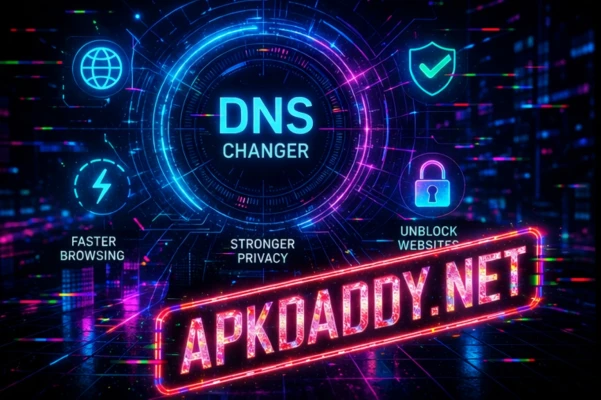
DNS Changer is a simple yet powerful tool that helps you modify your device’s DNS (Domain Name System) settings for a faster, safer, and more private internet experience. By switching to custom DNS servers, users can improve browsing speed, reduce latency, and access websites more efficiently.
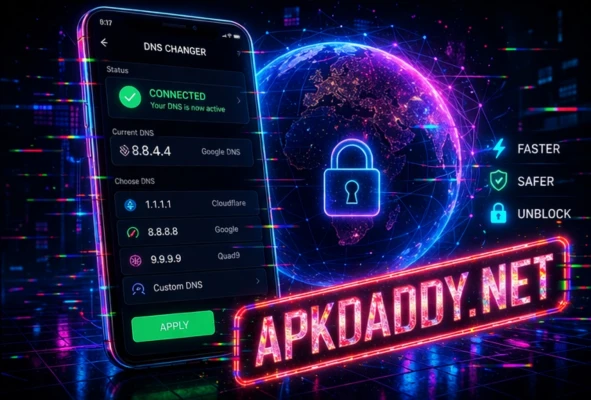
This app is especially useful for those who want to enhance their online privacy, block unwanted content, or bypass certain network restrictions. It works without requiring root access, making it accessible to a wide range of users. With just a few taps, you can connect to reliable DNS servers and enjoy a smoother internet connection.
DNS Changer also helps protect against certain online threats by allowing users to choose secure DNS providers. Whether you are gaming, streaming, or simply browsing, this tool ensures a more stable and optimized network performance.
Key Features
🌐 Change DNS Easily – Switch DNS servers with one tap
⚡ Faster Internet Speed – Reduce latency and improve loading times
🔒 Enhanced Privacy – Protect your browsing data
🚫 Block Unwanted Content – Filter ads or harmful websites
📶 No Root Required – Works on most Android devices
🎮 Better Gaming Experience – Reduce ping and lag
🌍 Multiple DNS Options – Choose from popular DNS providers
How to Install
Download the file from a trusted source
Go to Settings > Security and enable Unknown Sources
Open your file manager and locate the downloaded file
Tap on it and complete the installation
Launch the app and select your preferred DNS server
FAQs
Q1: Is DNS Changer safe to use?
Yes, it is safe when you use trusted DNS providers.
Q2: Does it require root access?
No, it works without root on most devices.
Q3: Can it improve gaming performance?
Yes, changing DNS can reduce lag and improve connection stability in some cases.
Pros / Cons
✅ Pros
Easy and quick setup
Improves browsing speed
Enhances online privacy
No root required
❌ Cons
Internet speed improvement may vary
Some DNS servers may not work in all regions
Requires active internet connection
Conclusion
DNS Changer is a practical tool for anyone looking to optimize their internet connection and improve online privacy. With its easy setup and reliable performance, it offers a simple way to customize your network experience without any technical hassle.