



Latest Version
77.0
April 04, 2026
Security
Android
15 MB
6
Free
com.clockvault.hidephotos.videos.securevault
Report a Problem
More About Clock vault
Description
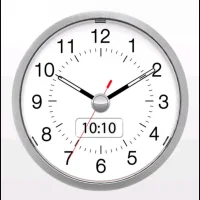
Clock Vault – Hide Photos & Videos APK is a privacy-focused application designed to securely hide your personal photos, videos, and files behind a fully functional clock interface. Disguised as a simple clock app, it provides a smart way to protect your private data from unauthorized access.
Once unlocked with a secret PIN or pattern, the app reveals a secure vault where you can store sensitive media and files. It supports multiple file formats and ensures that hidden content is not visible in your device gallery or file manager. This makes it an ideal solution for users who want to keep their personal content safe and private.
The app also offers additional security features such as intruder alerts, fake vaults, and backup options. With its simple interface and strong encryption-like protection, Clock Vault APK provides a reliable way to safeguard your digital privacy.
Key Features
🕒 Disguised as Clock App – Hidden vault behind a working clock interface
🔒 Hide Photos & Videos – Securely store private media files
🔑 PIN & Pattern Lock – Strong access protection
👀 Intruder Selfie Alert – Capture photo of unauthorized access attempts
📂 Supports Multiple File Types – Hide images, videos, and documents
🎭 Fake Vault Option – Create a decoy vault for extra security
☁️ Backup & Restore – Protect your data from loss
⚡ Fast & Lightweight – Smooth and efficient performance
How to Install
Download the Clock Vault – Hide Photos & Videos APK file
Go to Settings > Security
Enable Unknown Sources
Open the downloaded APK file
Tap Install and wait for completion
Launch the app and set your security PIN
FAQs
1. What is Clock Vault APK?
It is an app that hides your private photos and videos behind a clock interface.
2. Is the app really secure?
Yes, it provides strong protection with PIN, pattern, and privacy features.
3. Will hidden files appear in the gallery?
No, hidden files are not visible in the gallery or file manager.
4. What happens if I forget my password?
Some versions provide recovery options, but it depends on setup.
5. Does it support backup?
Yes, you can back up and restore your hidden files.
Pros / Cons
✅ Pros
Strong privacy protection
Disguised interface for extra security
Easy to use
Supports multiple file types
Useful additional security features
❌ Cons
Risk of data loss if not backed up
Some features require premium
Requires permissions
May show ads in free version
Conclusion
Clock Vault – Hide Photos & Videos APK is a reliable and smart privacy tool for protecting your personal media. With its hidden interface, strong security features, and user-friendly design, it ensures that your private data remains safe and secure. If you value privacy and want to keep your files hidden, this app is a great choice.