Latest Version
6.4.4
March 29, 2026
IT Tools
Android
9 MB
5
Free
com.grice.launcher
Report a Problem
More About Liquid Launcher
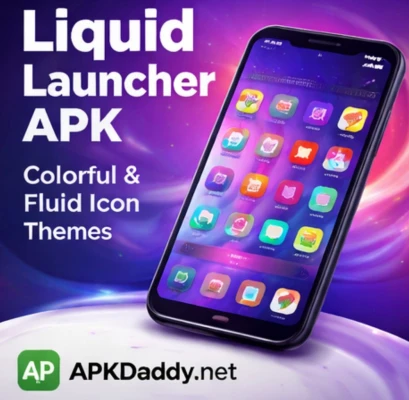
💧 Liquid Launcher APK
📄 Description
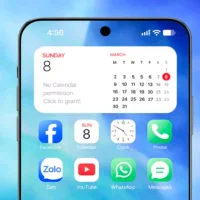
Liquid Launcher APK is a modern Android launcher designed to give your smartphone a stylish and visually appealing home screen experience. It features a unique “Liquid Glass” design that uses smooth transparency, blur effects, and elegant animations to create a premium look.
This launcher focuses on simplicity, customization, and performance. Users can transform their device with beautiful themes, wallpapers, and widgets while keeping the interface clean and easy to navigate. The liquid-style UI adds a futuristic feel, making your phone stand out from traditional launchers.
Liquid Launcher also includes smart app organization features like an app library and quick search, helping you access apps faster. With customizable widgets, icon styles, and layout options, users can design their home screen according to their personal style.
Overall, it is a lightweight and visually rich launcher that combines aesthetics with usability, making it ideal for users who want a modern and clean Android experience. (APKPure.com)
⭐ Key Features
💧 Unique Liquid Glass UI design
🎨 Custom themes, wallpapers, and layouts
📂 Smart app library for better organization
🔍 Quick search for apps and files
🧩 Customizable widgets (clock, weather, calendar, etc.)
⚡ Smooth animations and fast performance
🎯 Clean and minimal home screen interface
📱 Lightweight and easy to use
📥 How to Install Liquid Launcher APK
Download the Liquid Launcher APK file from a trusted source.
Go to Settings > Security on your device.
Enable Unknown Sources.
Open your file manager and locate the APK file.
Tap on the file and press Install.
Wait for installation to complete.
Set it as your default launcher and enjoy the new UI.
❓ FAQs
Q1: Is Liquid Launcher free to use?
Yes, it offers free features, but some themes or premium options may require payment.
Q2: Does Liquid Launcher slow down the phone?
No, it is optimized for smooth performance, but heavy visual effects may use extra resources on low-end devices.
Q3: Can I customize the home screen?
Yes, you can change themes, widgets, wallpapers, and layouts easily.
👍 Pros / Cons
✔️ Pros
Attractive Liquid Glass design
Easy customization options
Smooth and modern interface
Lightweight and fast
Clean UI with smart organization
❌ Cons
Ads in free version
Some features may require premium access
Effects may consume more battery
Limited compared to heavy launchers
🏁 Conclusion
Liquid Launcher APK is a great choice for users who want a fresh, modern, and visually appealing Android home screen. With its Liquid Glass design, customization features, and smooth performance, it delivers a unique launcher experience. If you’re looking to upgrade your phone’s look without sacrificing usability, this launcher is definitely worth trying.