Latest Version
1.9.6
April 03, 2026
IT Tools
Android
53 MB
1
Free
com.screenmirroring.casttotv.smartview
Report a Problem
More About Screen mirroring
Description
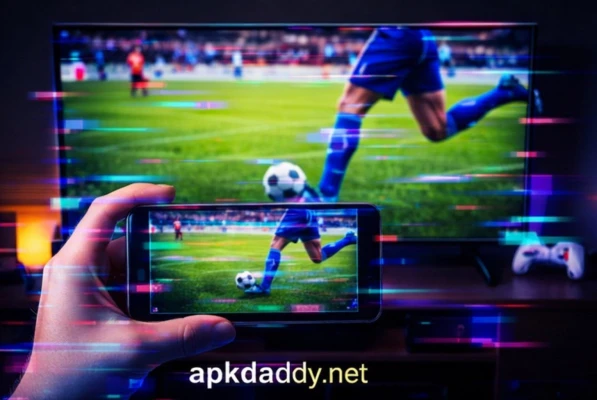
Screen Mirroring APK is a powerful and easy-to-use application that allows users to mirror their smartphone screen directly to a TV, PC, or other compatible devices. Whether you want to watch videos, play games, display photos, or present documents, this app ensures a smooth and high-quality casting experience.
With a simple setup process, Screen Mirroring APK connects your device to a larger screen over Wi-Fi, eliminating the need for cables. It supports multiple devices such as Smart TVs, Chromecast, Fire TV, and wireless display receivers. The app is designed for both personal entertainment and professional use, making it perfect for home streaming, office presentations, and classroom sharing.
Enjoy real-time screen sharing with minimal lag, HD quality output, and stable connectivity. Screen Mirroring APK provides a seamless experience for users who want to enhance their viewing and sharing capabilities.
Key Features
📱 Real-Time Screen Mirroring – Instantly mirror your phone screen to larger displays
📺 Supports Multiple Devices – Works with Smart TVs, Chromecast, Firestick, and more
⚡ Fast & Stable Connection – Low latency and smooth performance
🎮 Game Streaming – Play mobile games on a big screen
🎥 HD Video Casting – Watch movies and videos in high quality
🖼️ Photo & File Sharing – Display images, presentations, and documents easily
🔊 Audio Sync Support – Enjoy synchronized sound with video
🔐 Safe & Secure Connection – No data leakage or privacy issues
How to Install
Download the Screen Mirroring APK file from a trusted source
Go to your device Settings > Security
Enable Unknown Sources
Locate the downloaded APK file
Tap on the file and click Install
Wait for installation to complete
Open the app and connect to your desired device
FAQs
1. What is Screen Mirroring APK?
It is an app that allows you to display your phone’s screen on a TV or PC wirelessly.
2. Does it require internet?
It requires a Wi-Fi connection, but both devices must be connected to the same network.
3. Is Screen Mirroring safe to use?
Yes, if downloaded from a reliable source, it is safe and secure.
4. Can I mirror games using this app?
Yes, you can stream games with minimal lag depending on your network speed.
5. Why is my screen lagging?
Lag can occur due to weak Wi-Fi signals or network congestion.
Pros / Cons
✅ Pros
Easy to use interface
Wireless connection (no cables needed)
Supports multiple devices
High-quality streaming
Useful for both entertainment and work
❌ Cons
Requires stable Wi-Fi connection
May have slight delay on slower networks
Not compatible with all older devices
Some features may require premium access
Conclusion
Screen Mirroring APK is a versatile and efficient solution for anyone looking to share their mobile screen on a bigger display. With its simple interface, wide compatibility, and reliable performance, it is ideal for streaming, gaming, and presentations. If you want a hassle-free way to enjoy your phone content on a larger screen, this app is definitely worth trying.