

Latest Version
1.7.1
April 26, 2026
IT Tools
Android
13 MB
114
Free
eu.darken.sdmse
Report a Problem
Old Versions of SD Maid
SD Maid 1.6.5
April 03, 2026 12 MBMore About SD Maid
Description
SD Maid SE – Phone Cleaner APK is a powerful Android cleaning and file management app designed to keep your device clean, organized, and running smoothly. It helps remove leftover files, junk data, and hidden cache that accumulate over time and take up valuable storage space.
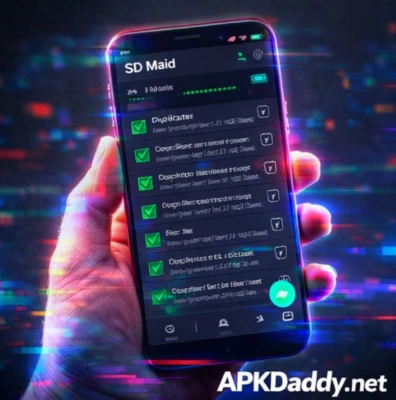
Unlike many basic cleaner apps, SD Maid SE provides deep scanning tools that analyze your device storage and identify unnecessary files created by apps. It can detect remnants left behind after uninstalling apps and safely remove them to free up space.
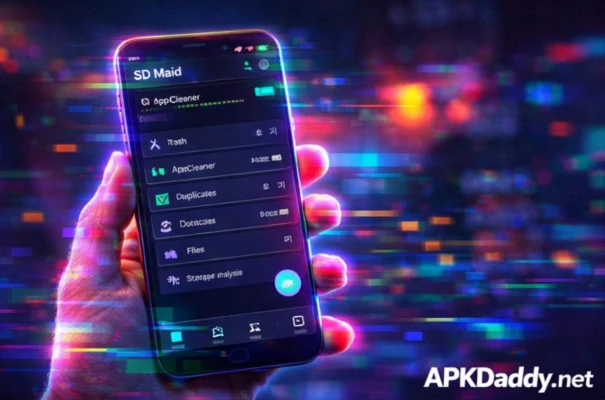
The app includes multiple advanced tools like System Cleaner, App Cleaner, and Storage Analyzer, which help users understand what is consuming storage and clean it efficiently. It also allows users to manage installed apps, detect duplicate files, and optimize their device performance.
SD Maid SE is known for its transparency and control, giving users full visibility over what files are being deleted instead of automatically removing data without permission. It is optimized for modern Android versions and works without requiring root access.
Key Features
✅ Deep system cleaning (junk, cache, logs)
✅ CorpseFinder (removes leftover files of uninstalled apps)
✅ Storage Analyzer (shows detailed storage usage)
✅ App Cleaner (clears hidden cache and unnecessary data)
✅ Duplicate file finder
✅ Full app manager (enable/disable apps)
✅ Smart file search with filters
✅ No ads (in many versions)
✅ Lightweight and efficient
How to Install
Download the SD Maid SE APK from a trusted source
Go to Settings > Security
Enable Unknown Sources
Open the APK file
Tap Install and wait
Open the app and grant required permissions
Start scanning and cleaning your device
FAQs (5 Questions)
Q1. What is SD Maid used for?
It is used to clean junk files, remove leftover app data, and manage storage efficiently.
Q2. Does SD Maid require root access?
No, it works without root, but some advanced features may work better with root.
Q3. Is SD Maid safe to use?
Yes, it shows details before deleting files so users can control what gets removed.
Q4. Does it improve phone speed?
Yes, by removing junk files and freeing storage, it can improve performance.
Q5. Is SD Maid free?
It offers free features, but some advanced tools require a premium upgrade.
Pros / Cons
Pros
Deep and accurate cleaning
Detects leftover files from uninstalled apps
Detailed storage analysis
No unnecessary background processes
Gives full control to users
Cons
Some features require premium
Interface may feel complex for beginners
Cleaning requires manual confirmation
Limited automation in free version
Conclusion
SD Maid SE – Phone Cleaner APK is one of the most reliable and advanced cleaning apps available for Android. It focuses on real cleaning rather than fake “boost” features, making it ideal for users who want full control over their device storage. While it may be slightly complex for beginners, its powerful tools and accurate results make it a great choice for maintaining a clean and optimized smartphone.