Latest Version
1.5.2.8
May 01, 2026
Tools
Android
13 MB
31
Free
com.wssc.simpleclock
Report a Problem
More About Flip Clock
Flip Clock – World Clock APK
Description
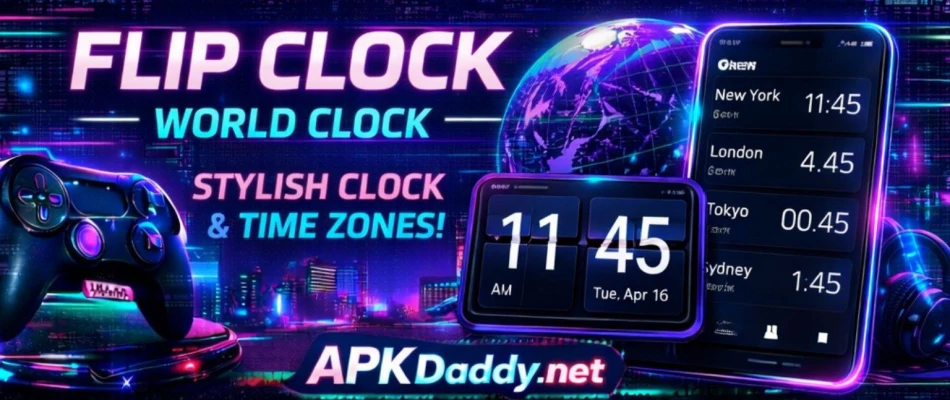
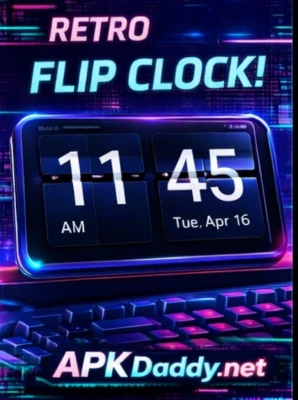
Flip Clock – World Clock is a stylish and functional Android clock app that combines a classic flip-style design with modern features. It displays time using smooth page-flip animations, giving your device a retro yet elegant look.
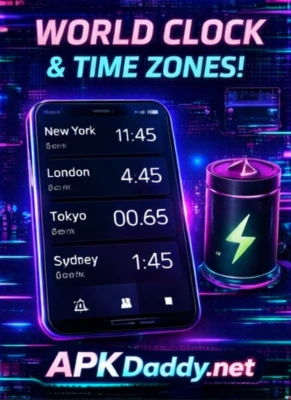
The app not only works as a digital clock but also includes a world clock feature that allows users to check time across multiple cities and time zones. It is especially useful for travelers, remote workers, and anyone who needs to stay connected globally.
In addition to time display, the app offers tools like a Pomodoro timer, weather updates, and customizable widgets. Its minimalist interface ensures easy readability from any angle, making it perfect for desk, bedside, or study use. (Google Play)
Key Features
Flip Clock Animation – Smooth page-turn style time display
World Clock Support – Check time in multiple cities worldwide
Pomodoro Timer – Improve focus and productivity
Weather Information – View current weather of your location
Custom Themes & Fonts – Personalize clock appearance
12/24 Hour Format – Choose preferred time format
Floating Clock Mode – Use clock while multitasking
Home Screen Widgets – Add clock widgets easily
Landscape & Portrait Mode – Works in both orientations
How to Install
Download the APK file from a trusted source
Go to Settings > Security
Enable Unknown Sources
Open File Manager and locate the APK file
Tap on it and select Install
Wait for installation to complete
Open the app and set your clock preferences
FAQs
Q1: What is a flip clock?
A flip clock shows time using flipping number animations like old digital clocks.
Q2: Can I check multiple time zones?
Yes, the world clock feature lets you view time in different cities.
Q3: Does it work offline?
Yes, basic clock features work offline, but weather needs internet.
Pros / Cons
Pros
Stylish retro design
Easy to read full-screen clock
World clock support
Useful productivity tools
Customizable themes
Cons
Weather feature needs internet
Some features may be premium
Occasional UI bugs reported
Conclusion
Flip Clock – World Clock APK is a perfect blend of style and functionality. It not only enhances your device’s look with a retro flip animation but also provides useful tools like world time tracking and productivity timers. Ideal for daily use, study setups, and desk displays.