

Latest Version
1.16.7
May 02, 2026
Android
5 MB
25
Free
eu.toneiv.ubktouch
Report a Problem
More About UbikiTouch
UbikiTouch APK
Description
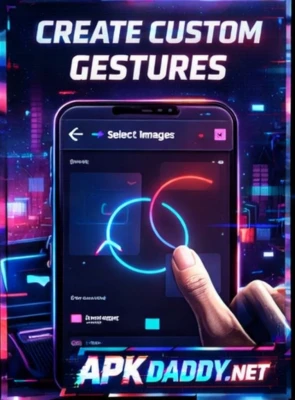
UbikiTouch is a powerful Android gesture control app that allows users to navigate their device using customizable swipe gestures. It enhances productivity by enabling quick access to apps, shortcuts, and system functions without relying on traditional buttons.
With UbikiTouch, users can perform actions like going back, opening recent apps, adjusting volume, or launching specific apps through simple edge gestures. This makes it especially useful for large-screen devices where one-handed use can be difficult.
The app offers highly customizable gesture zones, allowing users to define trigger areas on the screen edges and assign different actions. It also includes advanced features like multi-step gestures, task automation, and compatibility with most Android devices.
UbikiTouch runs smoothly in the background with minimal battery usage and provides a seamless navigation experience. It’s ideal for users who want faster control and improved usability on their smartphones.
Key Features
Custom Gesture Controls – Perform actions using swipe gestures
Edge Trigger Zones – Set gesture areas on screen edges
Quick App Launch – Open apps instantly with gestures
System Actions Support – Back, home, recent apps, volume control
Multi-Step Gestures – Combine actions for advanced control
Highly Customizable – Personalize gestures and behavior
Lightweight & Efficient – Minimal battery consumption
Works Without Root – Compatible with most devices
How to Install
Download the APK file from a trusted source
Go to Settings > Security
Enable Unknown Sources
Open File Manager and locate the APK
Tap on it and select Install
Wait for installation to complete
Open the app and grant required permissions
FAQs
Q1: What is UbikiTouch used for?
It allows you to control your phone using customizable gestures.
Q2: Does it require root access?
No, it works without root.
Q3: Is it safe to use?
Yes, but it requires accessibility permissions to function properly.
Pros / Cons
Pros
Improves navigation speed
Highly customizable gestures
Useful for one-handed use
Lightweight and fast
No root required
Cons
Requires accessibility permissions
Learning curve for new users
Some features may be premium
Conclusion
UbikiTouch APK is a highly useful gesture control app that enhances the way you interact with your Android device. With its customizable gestures and powerful features, it offers a faster and more convenient navigation experience, especially for users who prefer gesture-based controls.